

Blob Generator ( Precision Border-Radius Generator )
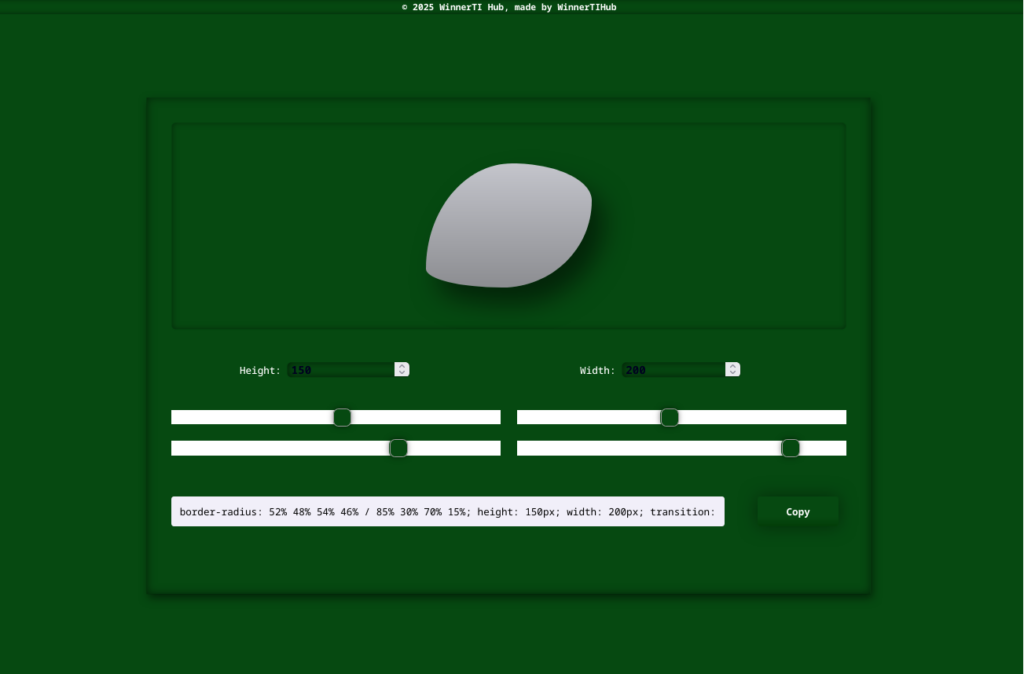
The WTI Blobber is a specialized interactive utility designed to eliminate the guesswork from complex CSS shaping. It provides a real-time visual sandbox where developers can manipulate eight distinct border-radius values, covering all four corners and their horizontal/vertical axes, to create organic, fluid, and professional UI components.
Purpose of WTI Blobber Project
In modern web design, standard rounded corners are often to rigid. To achieve “organic” or “blob” shapes, you need complex 8-point border-radius syntax (e.g, 60% 40% 30% 70% / 60% 30% 70% 40%).
I built this tool to bridge the gap between intent and code execution. Instead of manually guessing numbers in a code editor, this generator allows you to sculpt your div visually and receive production ready CSS instantly.
⚒️Tech Stack
To ensure maximum performance and zero dependency overhead, I opted for a Vanilla Trinity approach:
- HTML5: Structured for semantic accessibility and real-time DOM manipulation.
- CSS3: Leverage Flexbox for the UI layout and dynamic variables for the preview shape.
- Vanilla JavaScript (ES6+): Handles the mathematical logic for the 8-point slider inputs and Clipboard API for the “copy-to-use” functionality.
Key Features
- 8-Axis Precision Control: Independent sliders for top, bottom, left, and right curvature across both X and Y planes.
- Live Preview Sandbox: Immediate visual feedback as you adjust sliders. What you see is exactly what your code will render.
- Dynamic Code Output: A dedicated display area that auto generates the border-radius property string in real time.
- One-Click Clipboard Integration: A ready-to-use copy button that formatted the CSS for immediate pasting into your stylesheet.
- Responsive UI: A clean, green-themed interface optimized for both desktop and mobile development workflows.
Technical Challenges & Solutions
The Challenge: Syncing the 8-Point Logic
Standard CSS allows for a simple border-radius: 10px, but for advanced shapes, you need a “slash” syntax (/) to separate horizontal and vertical values. Mapping 8 different range inputs to a single string while keeping the preview perfectly synced was the primary logic hurdle.
The Solution
I implemented a centralized State Manager in JavaScript. Instead of each slider having its own isolated function, every “input” event triggers a global updateShape() function. This function pulls values from all 8 sliders simultaneously, constructs the complex template literal string, and applies it to both the style.borderRadius of the preview element and the text content of the code display area.
The Challenge: User Feedback & Persistence
Users often lose track of whether a code snippet was successfully copied.
The Solution
I integrated the Clipboard API with a visual “Success” state. Upon clicking the copy button, a browser pop-up confirms copied state, which gives visual feedback to the user.